
Overview
Xoda automatically sends welcome emails to new members during the signup and onboarding process.
These emails help businesses:
- Welcome new members
- Share important membership information
- Provide login or app access details
- Improve onboarding and communication consistency
How Welcome Emails Work
When a new member is created or signs up through Xoda, the system can automatically send a welcome email based on the setup and workflow used.
Welcome emails may be triggered when:
- A new member is manually added by staff.
- A member signs up online.
- A membership or plan is assigned.
- A lead is converted into a member
Typical Member Experience
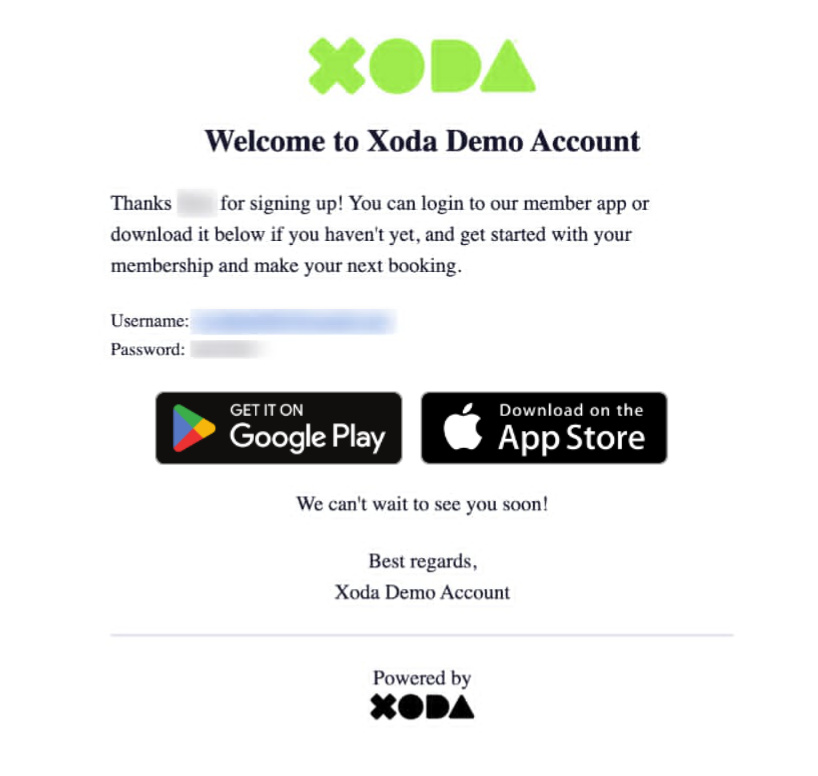
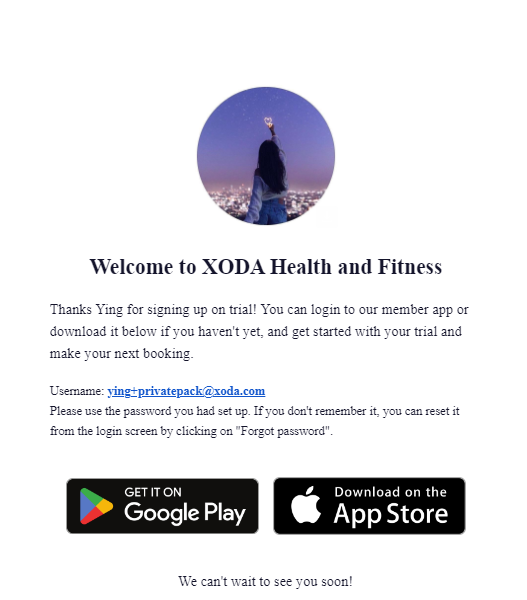
Step 1: Member Is Added or Signs Up
A member profile is created in Xoda through:
- Staff onboarding
- Online signup
- Lead conversion
Step 2: Welcome Email Is Triggered
Xoda automatically sends the welcome email to the member’s registered email address.
Step 3: Member Receives the Email
The member can:
- Review membership information
- Access onboarding instructions
- Download the app or log in
EXAMPLES:
|
💡 IMPORTANT NOTES
|
|||||||||||
|
🌿 BEST PRACTICES
|
|||||||||||||||
|
🔧 TROUBLESHOOTING
|
|||||||
Comments
0 comments
Please sign in to leave a comment.